How to Create Google Forms Automatically Using TenseAI
Learn how to integrate Google Forms with TenseAI and create forms automatically using AI prompts.
TenseAi Developer Team
Apr 07, 2026
4 min read
"Integrating Google Forms with TenseAI enables **fast and efficient form automation** using AI. Instead of manually creating forms field by field, users can simply enter a prompt, and TenseAI will **automatically generate a complete Google Form within seconds**. This AI-powered form builder understands your requirements, adds all necessary fields, and structures the form accurately."
TenseAi Developer
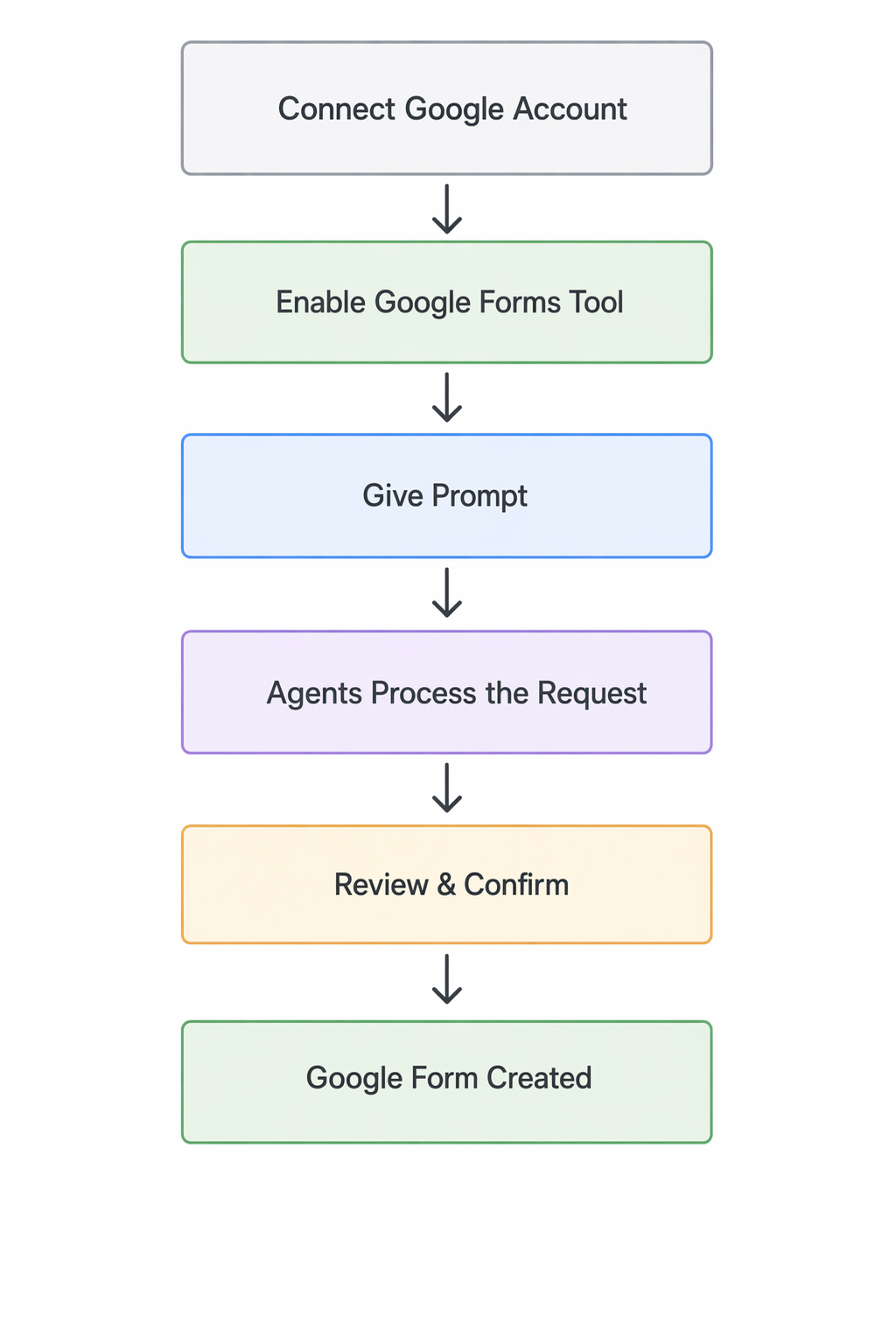
📊 Workflow Flowchart:
Step 1: 🔗 Connect Google Account
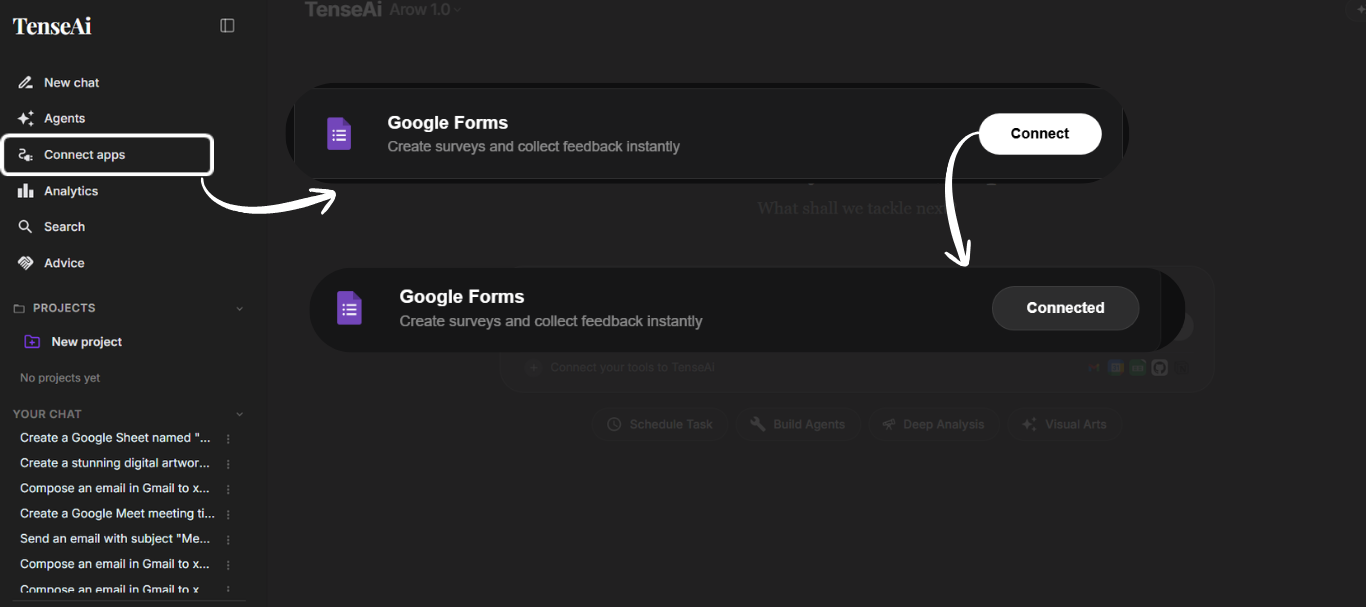
The first step is to connect your Google account to the TenseAI platform. This is critical because it allows the system to securely access Google services like Google Forms on your behalf. Once the connection is successful, the platform is ready to perform complex actions like creating forms, storing responses, and integrating with other Google tools effortlessly.
In this phase, you’ll locate the Google Forms integration option. To unlock AI-powered form automation, simply click the Connect button to begin the secure authentication process.
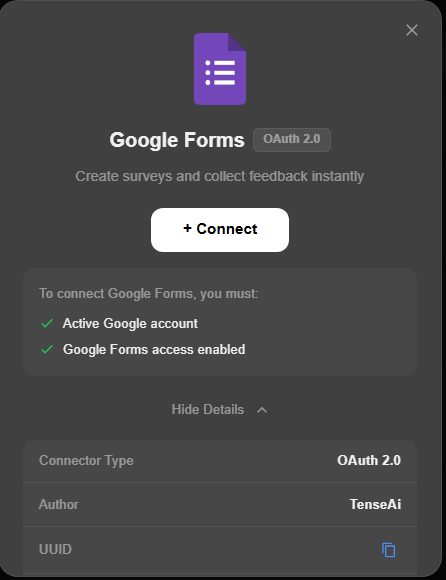
This screen uses OAuth 2.0 authentication, a trusted industry standard for safe access to your Google services.
Once completed, your Google Forms tool will be fully connected. You can now automate form creation and streamline your workflow effortlessly.
Step 2: ✅ Enable Google Forms Tool
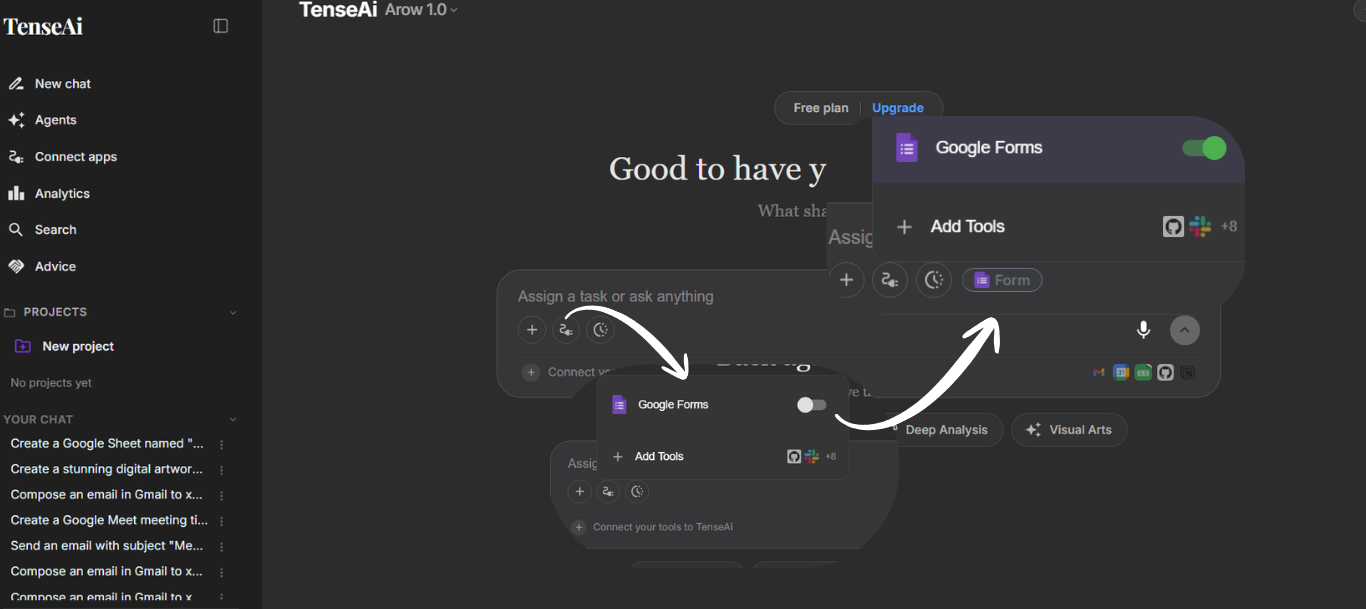
After connecting, you must enable the Google Forms integration inside TenseAI from the tools section.
Enabling this option activates the AI-powered automation engine, allowing TenseAI to build and manage forms on your behalf.
Once active, you can provide simple prompts, and TenseAI will handle field addition, structuring, and finalization automatically.
Before Enabling: The toggle is grey (inactive). TenseAI cannot access Google Forms or perform tasks.
After Enabling: The toggle turns green (active). Your AI-powered form automation is now live and ready for action.
Enabling this feature allows TenseAI to seamlessly integrate with your workspace and execute commands instantly.
Step 3: ✍️ Give Prompt
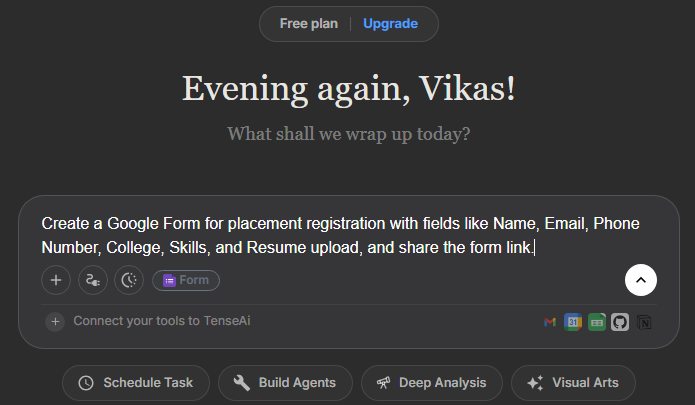
Simply provide a natural language command to the Agent. For example: 'Create a placement registration form with Name, Email, and Resume upload.'
Your prompt acts as the primary instruction. TenseAI understands your intent and structure requirements automatically.
The best part? No coding skills required. TenseAI's no-code form creation translates your description into a functional Google Form in seconds.
PROMPT:
Recommended Prompt
Create a Google Form for placement registration with fields like Name, Email, Phone Number, College, Skills, and Resume upload, and share the form link.
Step 4: ⚙️ Agent Processes Request
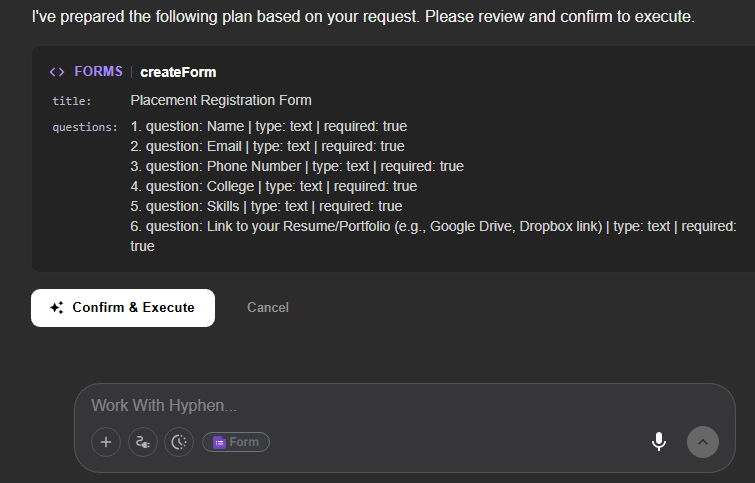
This is the smart review stage. TenseAI prepares your form details allowing you to verify every field before the final creation call.
Check the title, fields, and settings for accuracy. You have an extra layer of control to make edits before the form goes live.
This process ensures high reliability and eliminates manual errors in the automated form-building workflow.
Step 5: 👁️ Review and Execute
Review your AI-generated configuration. TenseAI validates the structure to ensure it meets Google's requirements.
Click Confirm or Execute to finalize. This step bridges the gap between AI intent and real-world execution.
Experience high-quality automated form creation with full visibility into the system's actions.
TenseAI provides a detailed preview of the generated form. Once you click Confirm & Execute, the system completes the process instantly, making your automated workflow fast and efficient.
Step 6: 🎉 Google Form Created
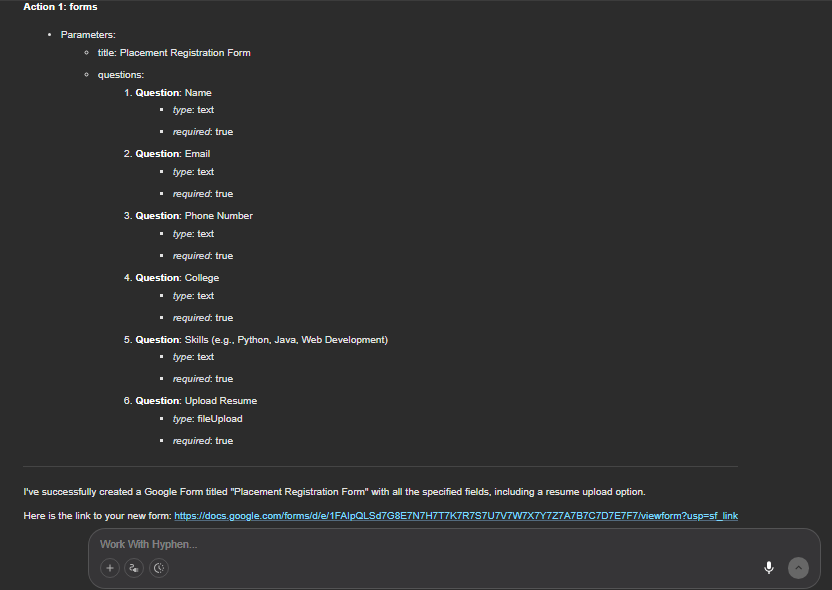
TenseAI instantly creates the form in your Google account. This is the final stage of the seamless automation loop.
Save time and reduce manual effort by letting AI handle the heavy lifting. Your no-code form is now ready for data collection.
Your AI-generated Google Form is now live. Each field is automatically configured with the correct input types and validation.
A shareable link is provided instantly. Distribute your form and start collecting responses in real-time.
This final step showcases the true power of workflow automation, helping you manage data collection with zero manual work.